Best software for GRBL CNC machines
Free for your first month — no account needed — then €3.99/month. GRBL over USB serial · ESP32/FluidNC over Wi-Fi · Klipper, Smoothie & Marlin over TCP.

Easily jump in and start creating.
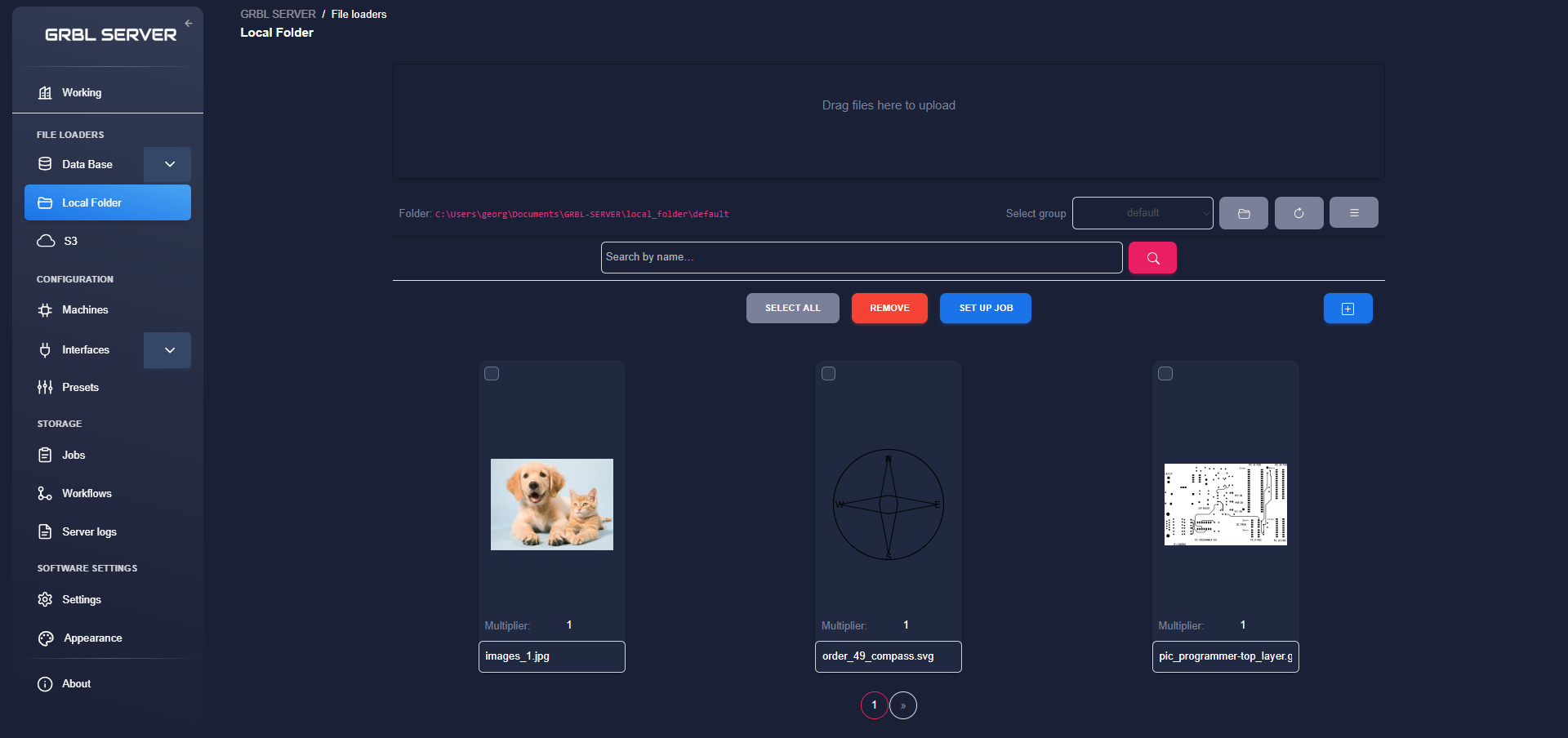
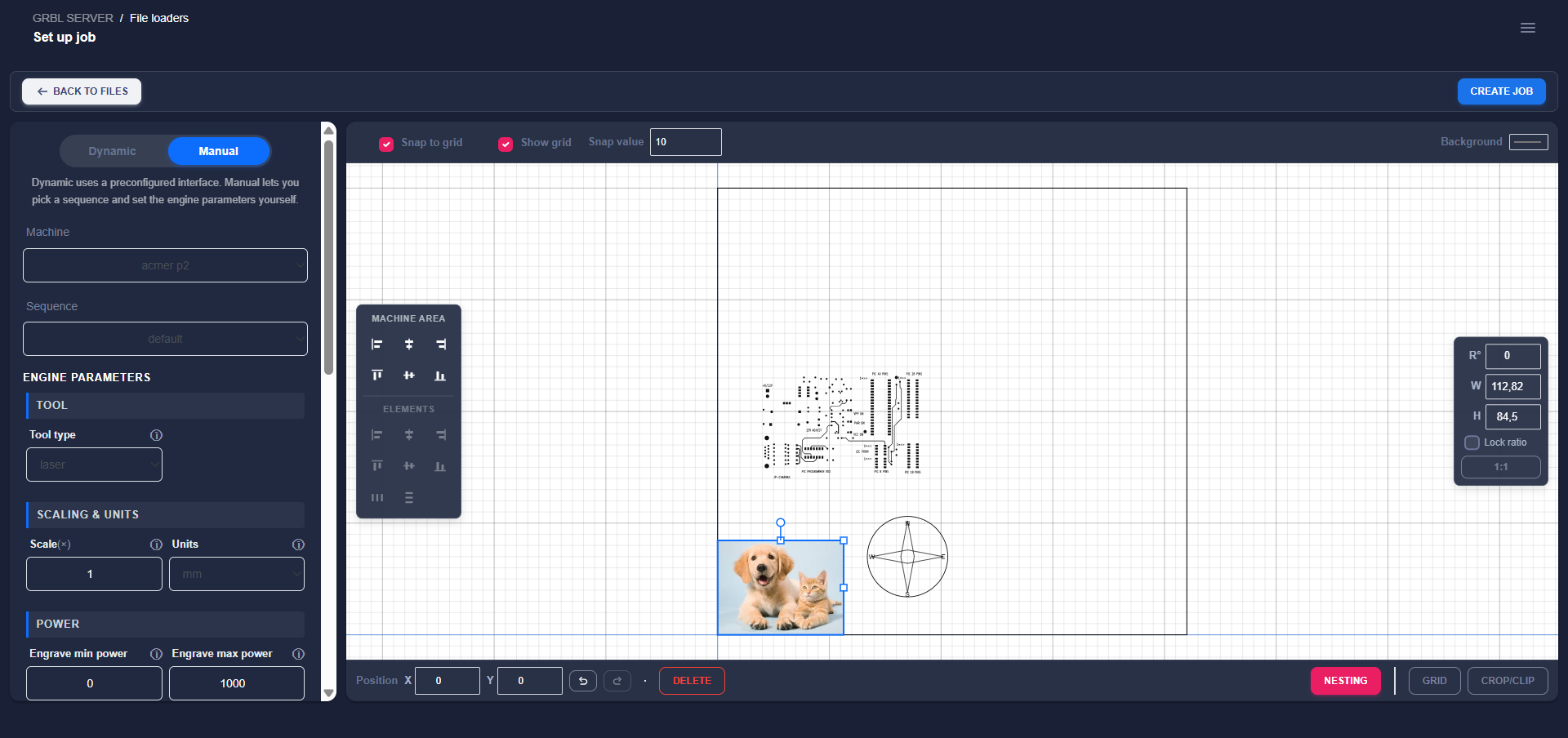
Add your images, SVG, DXF, and Gerber files, then easily create a job by combining them in any way you like.
Built around how production actually works.
A small set of building blocks that compose into reusable workflows.
Mill, drill and route PCBs — not just engrave.
One job model spans every tool: a 2-axis laser or diamond drag, or a full 3-axis routing spindle. Pick the tool type per job and the engine handles the Z axis: plunges, retracts, stepped depth passes, and travel at a safe height.
- Spindle & drag tools — cut depth, depth-per-pass stepdowns, plunge feed, safe-Z travel, spindle RPM with spin-up dwell.
- Machining operations — engrave on the line, inside/outside profile cuts offset by the tool radius, pocket clearing with stepover, and holding tabs that keep parts attached.
- Excellon drilling — DRL/XLN hole patterns become peck-drill programs with chip-clearing retracts and a bit-change pause between drill sizes.
- Gerber isolation routing — the cutter follows outward offsets of the copper to isolate every pad and trace, with configurable passes and clearance.
- Surface leveling — probe a grid over the board, build a heightmap, and warp the program so shallow cuts follow the real surface.
- 3D preview — any program that moves in Z gets an orbitable 3D view.
Wire it once. Run it every shift.
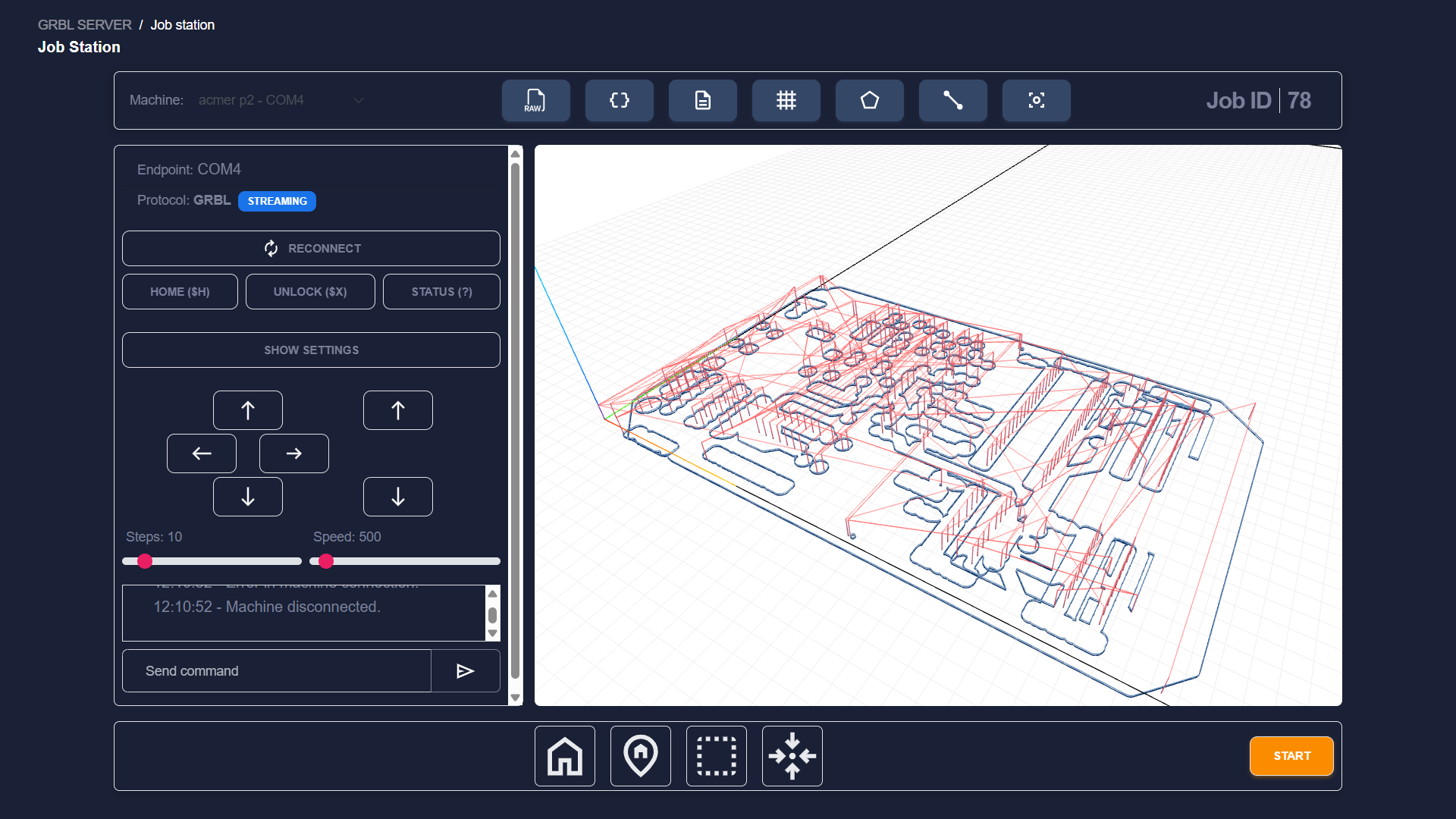
A workflow is a graph of nodes: where files come from, how they're processed, how they're arranged into a grid, what clipping applies, which interface and machine receives the job.
- 1 Define file sources (local folder, database mediator, S3).
- 2 Pick an interface (the engine parameters — tool type, power or cut depth, speed, passes; one profile handles vector and raster).
- 3 Arrange into a grid and apply clipping if needed.
- 4 Target a machine endpoint — 2- or 3-axis CNC over serial, Wi-Fi or TCP — and run.
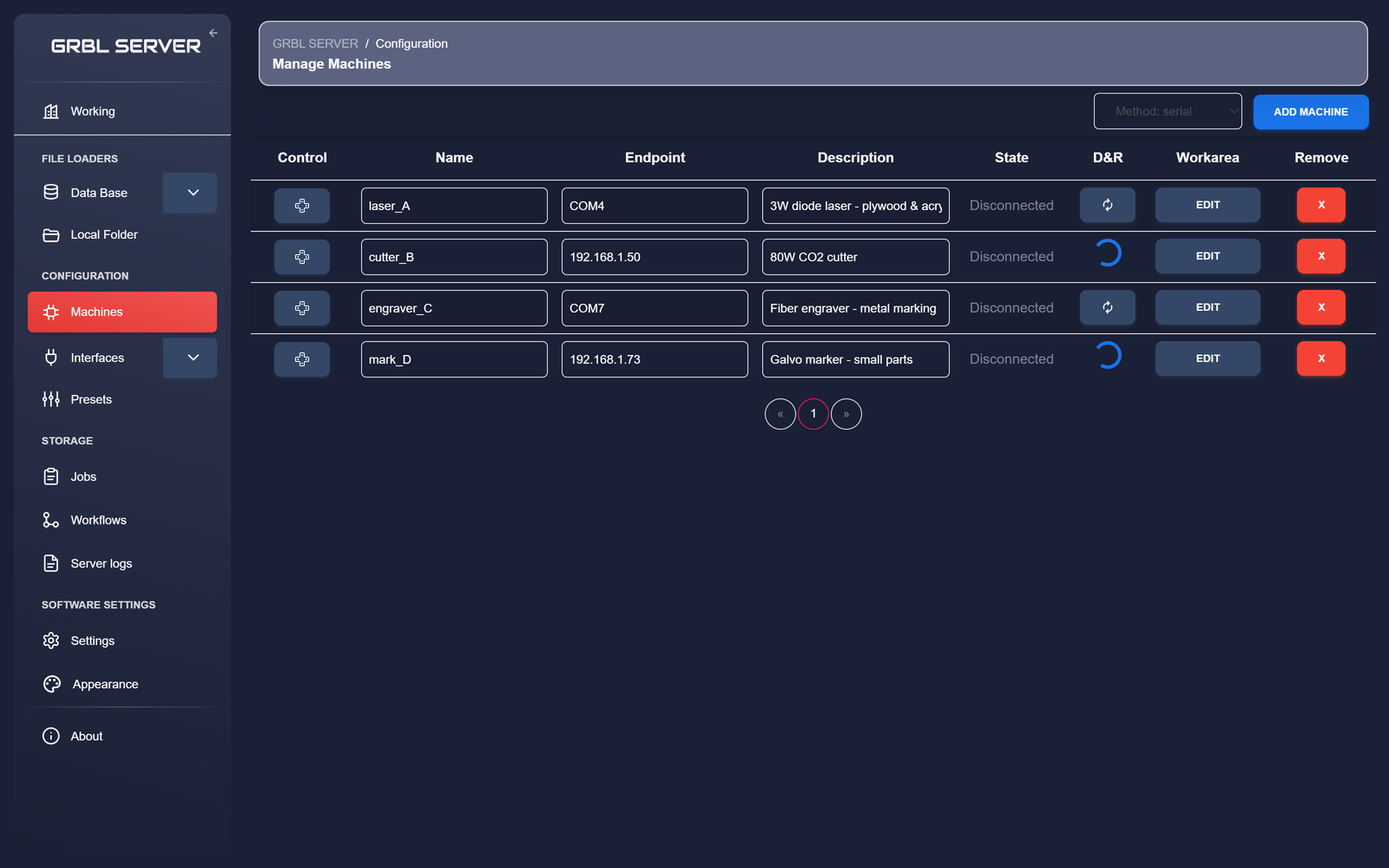
One computer, every machine on the network.
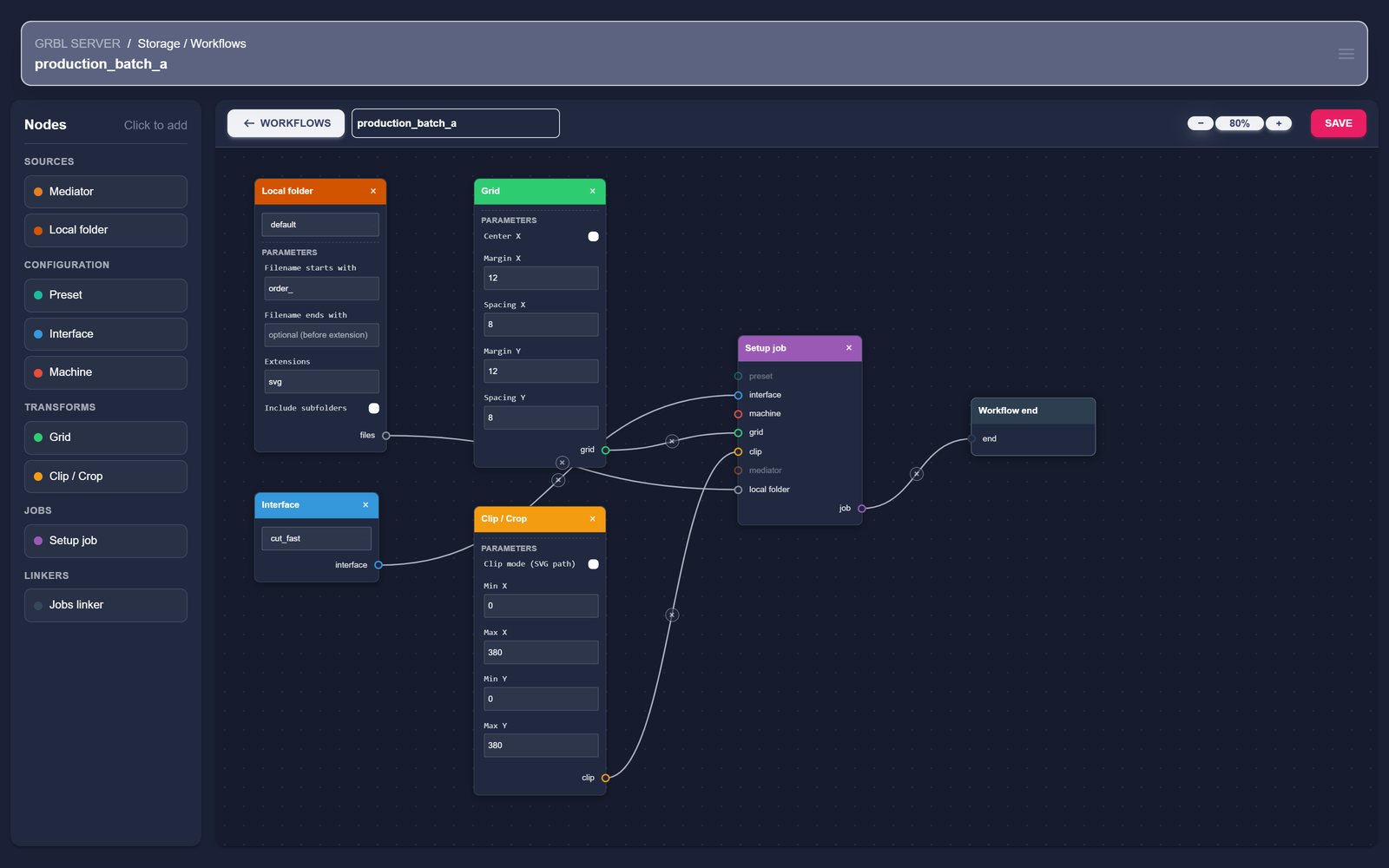
Connect GRBL, GRBL-ESP32/FluidNC, Marlin, Smoothieware and Klipper controllers over USB serial, Wi-Fi or TCP. Each machine appears as a named endpoint with its own working area and idle/active state.
- · USB serial for GRBL, Marlin and Smoothieware boards.
- · Wi-Fi WebSocket for GRBL32 / ESP32 / FluidNC controllers.
- · TCP for Smoothieware, Klipper (Moonraker) and Marlin over the network.
- · Per-machine working area, description and identifier.
- · Connect / disconnect from any computer on the network.
From SVG, DXF,Gerber and images to a full sheet of jobs.
Load SVG, DXF,Gerber and raster images (PNG, JPG, JPEG) from a local folder, a database, or an S3 bucket — then multiply them, arrange them into a grid across the bed, and clip the image with a svg path.
- · Local folder: filter by extension and recurse into subfolders.
- · Database: read raw SVG from a column, or a column that references an S3 file.
- · Save multiple pre-built database queries as reusable mediators.
- · Multiply per file, then tile into a grid (rows, columns, gap).
- · Clip to an SVG
dpath or crop to a rectangle for offcuts.
Save the dial-in once. Reuse it for every order.
A preset captures an entire job setup — the interface, machine, grid, clipping and nesting — so once you've dialed in a material you can re-apply everything to a new order in a single click.
- · A preset bundles an interface, a machine, a grid, clipping and nesting.
- · An interface holds the engine parameters, its macros and a start / end sequence.
- · Engine parameters are tool-aware — laser power or spindle depths from one dialog.
- · Reuse it by name per material:
plywood_3mm_engrave,pcb_fr4_isolation.
Try everything free for a month.
Every feature, every machine — no account, no card to start. After your first month, GRBL Server is €3.99/month.
Local-first by design
Your files, machines and job history live on your workshop computer — not in a cloud. The free month needs no account at all; you only create one to subscribe.
Support that knows the product
Support requests go straight to the engineering team behind GRBL Server — no tiered queues. Contact support →
Want the longer story? About GRBL Server →